Keeping your personal information out of data breaches and broker databases is difficult when most monitoring tools either hide real-time alerts behind high subscription tiers or ignore deletion requests entirely. Free plans often cap removal requests or skip advanced reporting, while others focus only on certain exposure points like public breaches or skip dark web data. This overview lets you compare breach monitoring, automated removal, and reporting features across four services to find the right balance of price, hands-off protection, and explicit evidence for your privacy workflow.
Table of Contents
KLAW
At a Glance
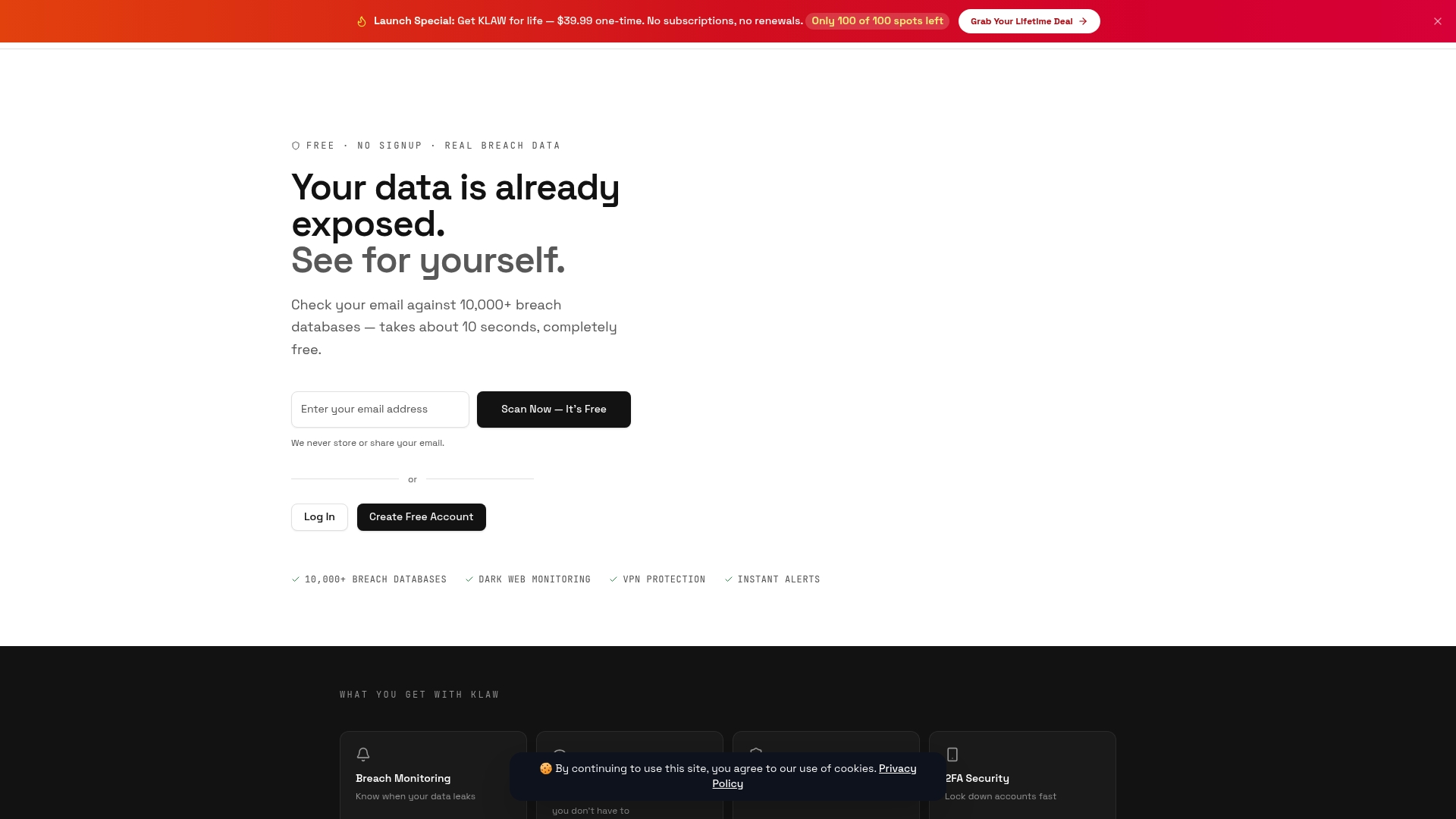
A one-time $39.99 lifetime option lets individuals buy ongoing breach protection without recurring monthly fees. Klaw's marketing materials state users can scan their email addresses against over 10,000 breach databases for free, a vendor claim introduced here for context.
Core Features
- Unlimited breach scans that run against known breach datasets and flag exposed credentials.
- Dark web credential monitoring with real-time alerts when matches appear in threat feeds.
- VPN access and privacy tools to mask browsing and reduce future exposure risks.
Klaw also offers 2FA support, an emergency one-tap account lock for faster incident response, and data broker opt-out automation on higher tiers.
Key Differentiator
The single most distinct offering is the one-time purchase lifetime tier that removes the subscription model for basic and many advanced protections. For users who prefer a fixed, nonrecurring expense, that pricing path changes the ongoing cost calculus for identity monitoring.
Pros
- The lifetime deal at $39.99 avoids subscription renewals and is attractive for individuals on a budget. It turns monitoring into a single up-front cost.
- Broad coverage across breach scans, dark web monitoring, and recovery workflows consolidates multiple needs into one product, reducing the number of services you must juggle.
- The platform advertises an explicit privacy posture and a transparent privacy policy that limits storage of passwords and sensitive browsing data.
- Multiple plan options including a free tier let you test scans before paying, which helps you verify coverage for your email quickly.
- Real-time alerts and live threat intelligence feed faster notifications to users when exposure occurs, helping speed up remediation.
Cons
- Lower-tier plans restrict full dark web access and gate features like human review and VPN to higher tiers, so full coverage requires a paid subscription or the lifetime buy.
Who It's For
Individuals worried about identity theft, small business owners who want low-cost monitoring, and security teams at smaller organizations that need centralized breach alerts without complex enterprise contracts. If you want simple, budget-friendly protection, Klaw fits the bill.
Unique Value Proposition
The lifetime purchase converts monitoring from a repeating monthly line item into a single capital expense. For an individual who runs routine scans and rarely changes accounts, that one-time fee can be cheaper over a two year horizon than monthly plans.
This also reduces billing friction for family members or low-budget teams who need basic protection without ongoing subscription management.
Real World Use Case
A small business deploys Klaw enterprise tools to watch employee emails for exposures, automate dark web scans, and centralize incident alerts in one dashboard. Individual employees use the free scan to check whether their work or personal emails have leaked and then upgrade if they want VPN and one-tap freeze.
Pricing
Free basic scans are available. Paid plans start at $9 per month and scale to $39 per month. The current lifetime option is a one-time $39.99 purchase that grants ongoing access to many monitoring features.
Website: https://klawusa.org
Optery
At a Glance
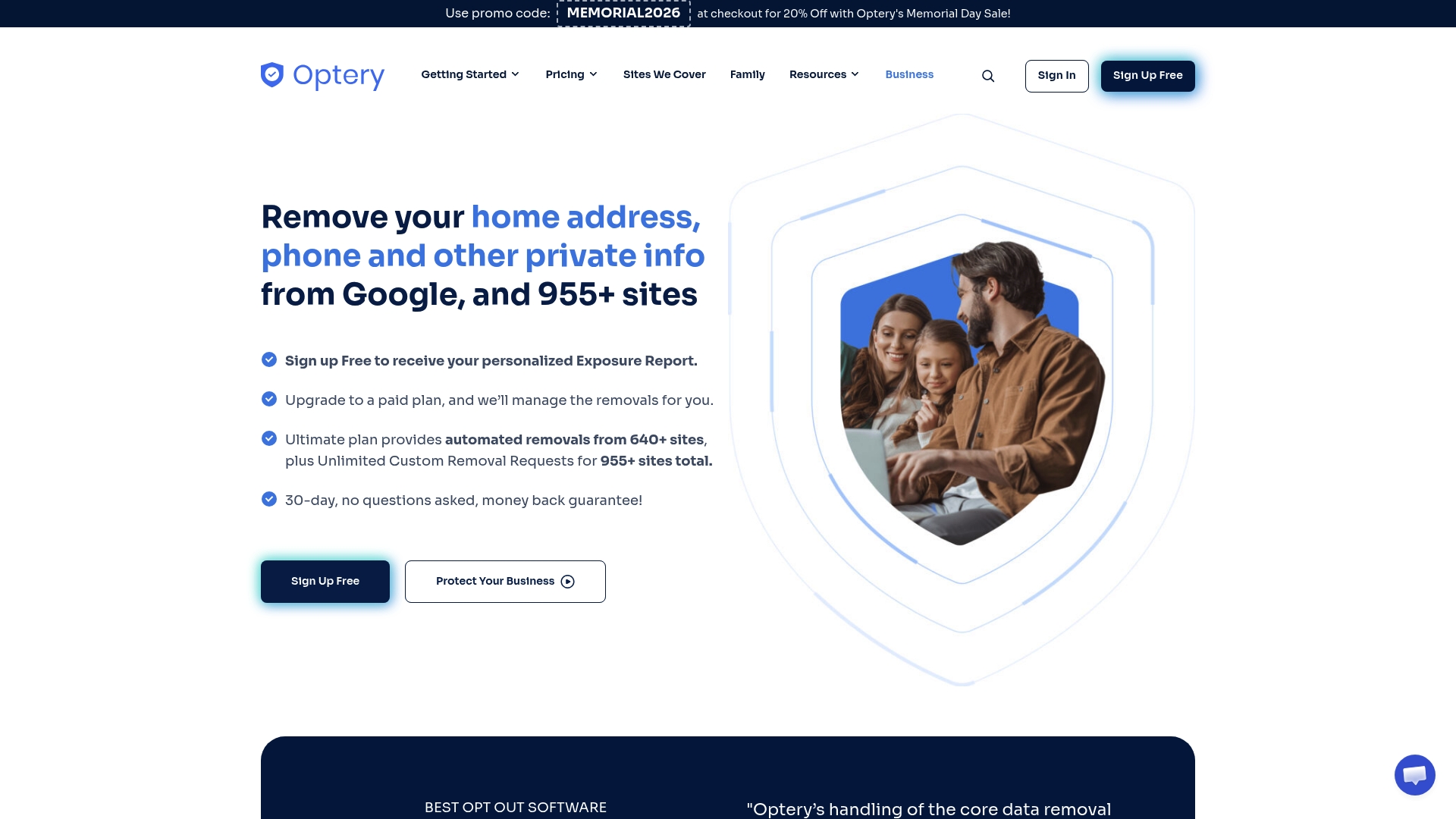
Optery's marketing materials state automated removal from over 640 data broker sites and patent-backed discovery technology. The service pairs continuous scans with evidence-based reports that include proof-of-removal screenshots, a transparency focus that many rivals skip.
Core Features
- Automated personal data removal workflows that target a long list of broker and people-search sites.
- Continuous monthly scans and ongoing removal management for paid plans, with tracked status across takedown attempts.
- Detailed exposure and removal reports that include screenshots and timestamps for verification.
- Enterprise integrations and controls, including SSO, SCIM, and SAML support, plus SOC 2 compliance claims in vendor materials.
Key Differentiator
What sets Optery apart is its emphasis on verifiable takedowns rather than mere removal requests. That focus means you get before-and-after proof for many entries, which simplifies escalation when a broker republishes data.
Pros
-
The reporting is practical. Screenshots and timestamps give concrete evidence you can forward to security teams or HR during an incident.
-
Support is positioned as responsive and expert; Optery advertises 24/7 customer support to guide complex opt-outs and follow ups.
-
The platform aims to discover profiles other tools miss, using its proprietary search to reduce manual hunting and false negatives.
-
Enterprise features such as SSO and SCIM make it easier to fold Optery into existing identity and access processes.
Cons
-
Some users report unchanged or increased spam after removal, which means takedowns do not directly eliminate all unwanted contact.
-
The service does not cover social media or dark web sources, leaving gaps in total exposure management.
-
Results depend on third-party broker compliance, so removals can be slow or partial when brokers resist automated opt-outs.
When It May Not Fit
If you need removal from social platforms or want dark web scanning, Optery is the wrong tool. Its scope centers on broker and directory sites, not every corner of the internet.
Notable Integrations
- SSO for enterprise single sign-on and centralized access control.
- SCIM for provisioning and deprovisioning users at scale.
- SAML for federated authentication with corporate identity providers.
Who It's For
Individuals and organizations that prioritize documented broker removals and enterprise-ready controls. Good for executives, security teams, and privacy-conscious users who want verifiable takedown evidence rather than broad dark web coverage.
Real World Use Case
A high-profile executive used Optery to remove home addresses and contact details from dozens of brokers and then supplied the removal reports to their security team. Regular scans alerted the team when entries resurfaced, reducing exposure windows and administrative friction.
Pricing
The vendor lists a free tier for basic exposure reports and paid plans that start around $399 per month and scale to $2,499 per month, with customizable enterprise options available for larger organizations.
Website: https://optery.com
Incogni
At a Glance
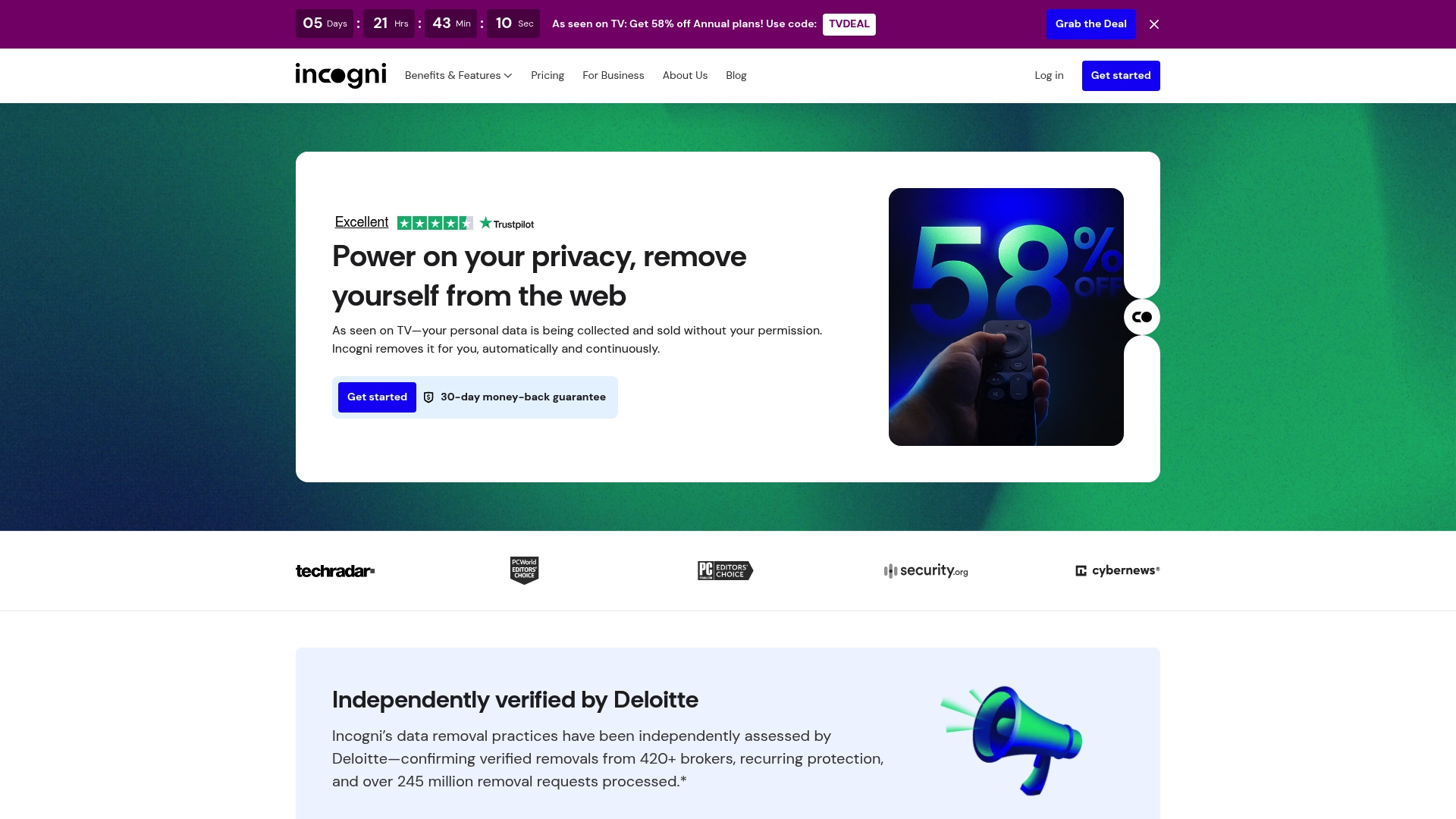
Incogni's marketing materials state it automates continuous removal requests across more than 420 data broker sites. That automated reach plus recurring monitoring and real-time progress reports makes it a largely hands-off option for people who want to stop chasing opt-out forms.
Core Features
-
Automated data removal from a broad set of broker sites, with recurring requests sent on your behalf.
-
Continuous monitoring and progress reporting so you can watch removal status in a single dashboard.
-
Manual and custom removal support for additional sources, with premium plans claiming coverage for up to 2,000 sites.
-
Legal leverage using GDPR, CCPA, and similar privacy rules to press removal requests for individuals and organizations.
Key Differentiator
The vendor advertises automated, continuous removals across a large broker network and cites independent verification of its removal practices by Deloitte. That combination positions Incogni as an automation-first personal data removal service rather than a manual opt-out helper.
Pros
-
Users report fewer spam calls and junk mail after using the service, which reduces the time you spend on identity cleanup.
-
The dashboard makes progress visible at a glance, so you rarely wonder whether a removal request was sent or stalled.
-
Recurring requests remove the need to re-submit opt-outs every few months; Incogni keeps follow-ups active for you.
-
The pricing menu covers individuals, families, and enterprise tiers, letting you pick a plan that matches scale rather than stretching a single DIY approach.
-
That Deloitte verification mentioned above gives an independent signal you can cite when comparing vendors.
Cons
-
Several users report slow removal times and frustrations with subscription management, which can make the service feel like it requires active follow-up.
-
The company is not fully transparent about timelines for specific brokers, so you may not know how long a given removal will take.
-
Some people see little change in spam volume depending on their region or the brokers holding their data; results vary by case.
-
Coverage is strongest for publicly accessible brokers; private or obscure sources are often out of scope.
When It May Not Fit
If you need guaranteed removal timelines for specific lists, Incogni's variable processing times and limited transparency will be frustrating. If your exposure is primarily inside private broker networks, the service may only address part of the problem. Enterprise buyers requiring regional coverage outside the US should confirm plan availability first.
Notable Integrations
No public third-party integrations are listed. Incogni operates primarily through a web-based dashboard and processes removals via automated requests and legal takedowns rather than connecting to other platforms.
Who It's For
Privacy-conscious individuals and families who want ongoing, automated removal work without doing every opt-out manually. Also useful for organizations and high-risk professionals that need a managed program and reporting rather than a one-off cleanup.
Real World Use Case
An individual signs up for the standard plan, runs an initial scan, and watches the dashboard as recurring requests reduce listings across commonly used people-search sites. An employer purchases an enterprise tier to protect executives and to receive removal reports for compliance reviews.
Pricing
Plans start at roughly €5.99/month for individuals or €11.99/month on another tier, with family and enterprise options and discounted annual billing. Exact tiers and current rates are visible on the vendor website.
Website: https://incogni.com
AgainstData
At a Glance
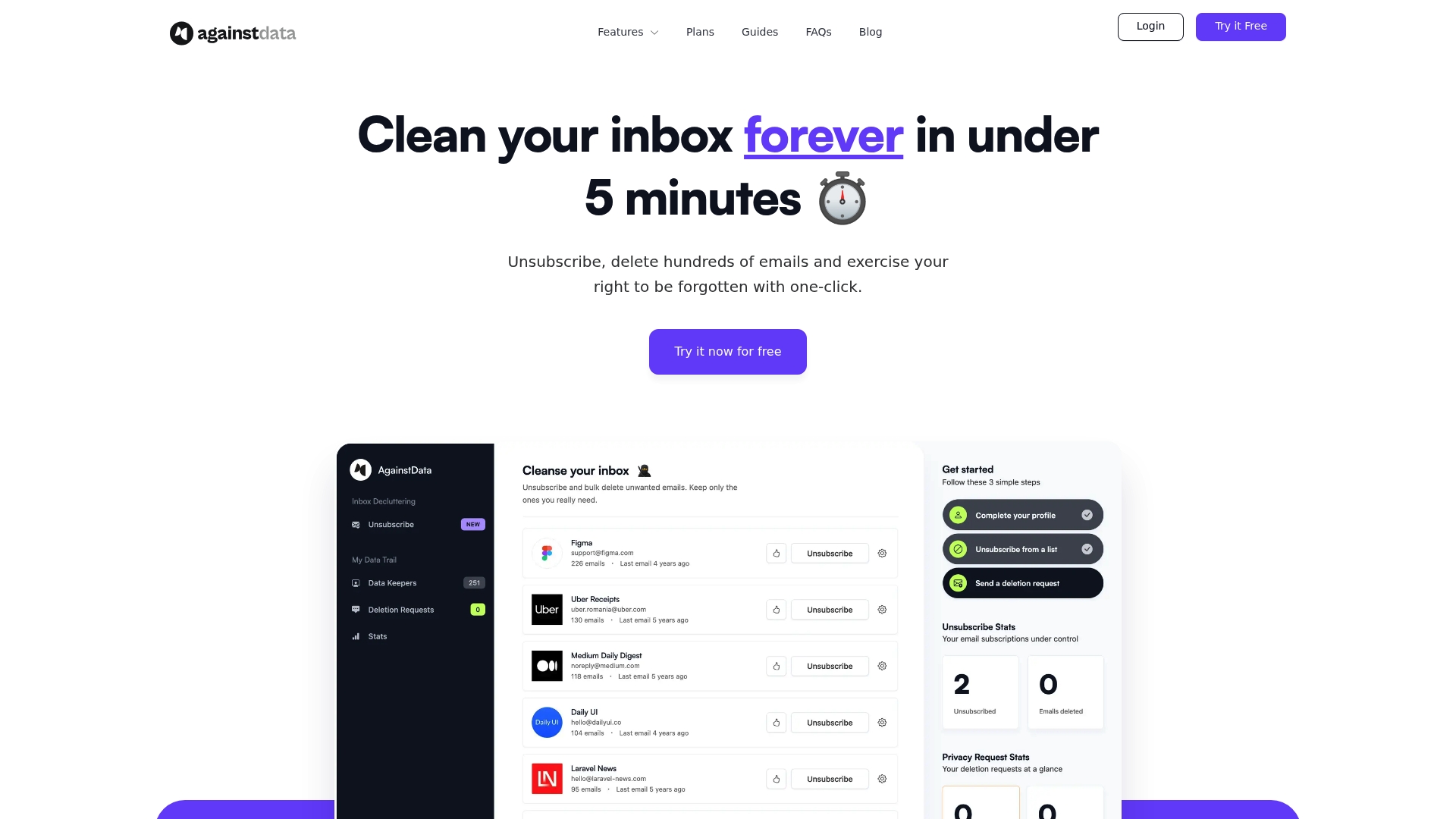
A one click legal template lets you send personal data deletion requests straight from your inbox, a capability aimed squarely at people who want to prune their digital footprint without legal research. AgainstData packages that with bulk email deletion and unsubscribe tools.
Core Features
- One click unsubscribe from promotional and mailing list emails.
- Bulk email deletion to remove inbox clutter quickly.
- Discovery of companies holding your personal data and a prefilled legal template to request deletion.
- Mailbox activity insights that show which senders dominate your inbox.
Key Differentiator
AgainstData focuses on turning privacy work into a single action by coupling discovery with a legal template you can send immediately. That narrow approach differs from Klaw, which pairs breach scanning and VPN services for broader ongoing monitoring and recovery support.
Pros
-
Simple interface and fast setup make AgainstData approachable for nontechnical users who want quick wins with inbox cleanup.
-
Annual plans are priced to be affordable relative to similar utilities, which helps individuals who prefer a single payment over monthly hassles.
-
Performs basic email management reliably for many users, especially when the goal is decluttering rather than full spam elimination.
-
The data deletion template removes the guesswork from sending rights requests, saving time compared with drafting letters yourself.
Cons
-
Many users report it is less effective at reducing spam than they expected, so the core unsubscribe flow does not solve every delivery problem.
-
Several reviewers describe the dashboard as slow or clunky, which makes repeated data management sessions more frustrating than they should be.
-
Customer support response quality and timings are often reported as poor or non responsive, which is a real issue if you rely on support for complex deletions.
-
Some users feel the feature set is limited relative to the subscription price, especially if you need advanced filtering or continuous monitoring.
When It May Not Fit
If your primary need is aggressive spam filtering or a tool that continuously monitors thousands of breach sources, AgainstData is narrower than that. Teams or power users who want deep automation or rapid customer support will likely find its performance and service level mismatch their expectations.
Who It's For
Individuals who want a lightweight, hands on way to declutter email and send data deletion requests without learning privacy law. Good for single inbox owners who prefer a guided workflow over configuring multiple tools.
Real World Use Case
A user bulk deletes hundreds of promotional messages, then runs a discovery pass to list companies storing their email. Using the supplied template, they send deletion requests to a subset of those companies to reduce data spread and future marketing contacts.
Pricing
Plans start at $16 per month billed annually for the Lite plan, with higher tiers available for managing multiple inboxes. Pricing favors single users who commit to a yearly payment rather than month to month.
Website: https://againstdata.com
Comparative Analysis: Choosing the Right Breach Monitoring Tool
When evaluating providers for breach monitoring and identity protection, understanding the nuanced strengths and tradeoffs of each tool can inform the best choice for individual or organizational use.
Focus on Cost Structures
Klaw offers a unique pricing model with its one-time $39.99 lifetime subscription, eliminating recurring costs seen with competitors such as Incogni and AgainstData, which operate on subscription-based pricing. For users seeking to minimize long-term costs while maintaining access to foundational monitoring services, Klaw's structure presents a significant advantage. However, it may lack the specialized legal removal capabilities provided by Optery and Incogni, which ensure compliance-driven data takedowns at the cost of monthly premiums.
Breadth of Service Features
Optery stands out for its verifiable removal process, delivering timestamps and screenshots of completed tasks—a key feature for enterprise-level operations requiring evidence of compliance. While Klaw provides a range of monitoring capabilities, its functionality is concentrated on proactive breach detection rather than retroactive data management, making its approach different from tools that offer detailed audit trails like Optery. Users prioritizing breach prevention and incident response over continuous data deletion may find Klaw more aligned with their needs.
Best Fit Recommendations
- Klaw: for individual users or small teams seeking effective, low-cost breach monitoring through a one-time purchase model.
- Optery: Preferred for enterprises needing documented proof of broker-level data removals for compliance or security reviews.
- Incogni: Suitable for users emphasizing automated, recurring removal requests from a broad set of data brokers.
- AgainstData: A lightweight solution designed for users focused on email decluttering combined with privacy actions without needing continuous breach monitoring.
Our Pick: Klaw
Klaw serves as an accessible entry point into breach monitoring with its lifetime subscription eliminating ongoing expenses. This makes it particularly well-fitted for individuals and teams on a fixed budget. However, users requiring extensive enterprise integration or certified removal proof might explore Optery for those purposes.
Personal Data Breach Monitoring Services Compared
Choose the service that aligns with your goals, pricing preferences, and feature requirements for personal data protection.
| Product | Core Features | Key Differentiator | Pricing | Notable Limitation |
|---|---|---|---|---|
| Klaw | Unlimited breach scans, Dark web monitoring | $39.99 one-time lifetime subscription | $39.99 one-time fee | Lower-tier plans limit access to advanced features |
| Optery | Data removal from 640 sites, Evidence reports | Proof of removal documentation | $399/month | Does not cover social media or dark web sources |
| Incogni | Automated removal, Continuous monitoring | GDPR and CCPA legal leverage | €5.99/month | Limited transparency on removal timelines |
| AgainstData | Email cleanup, Prefilled legal templates | Immediate legal template for deletion | $16/month | Limited effectiveness in reducing spam fully |
Protect Your Email Beyond Kanary.com Alternatives with Klaw
If you are exploring kanary.com alternatives for dependable email monitoring, Klaw offers a practical solution that addresses key concerns like hidden subscription fees and overwhelming ongoing costs. With Klaw, you get lifetime access to breach scans across over 10,000 databases, dark web monitoring, and real-time alerts—making it easier to detect and respond to email exposure quickly.
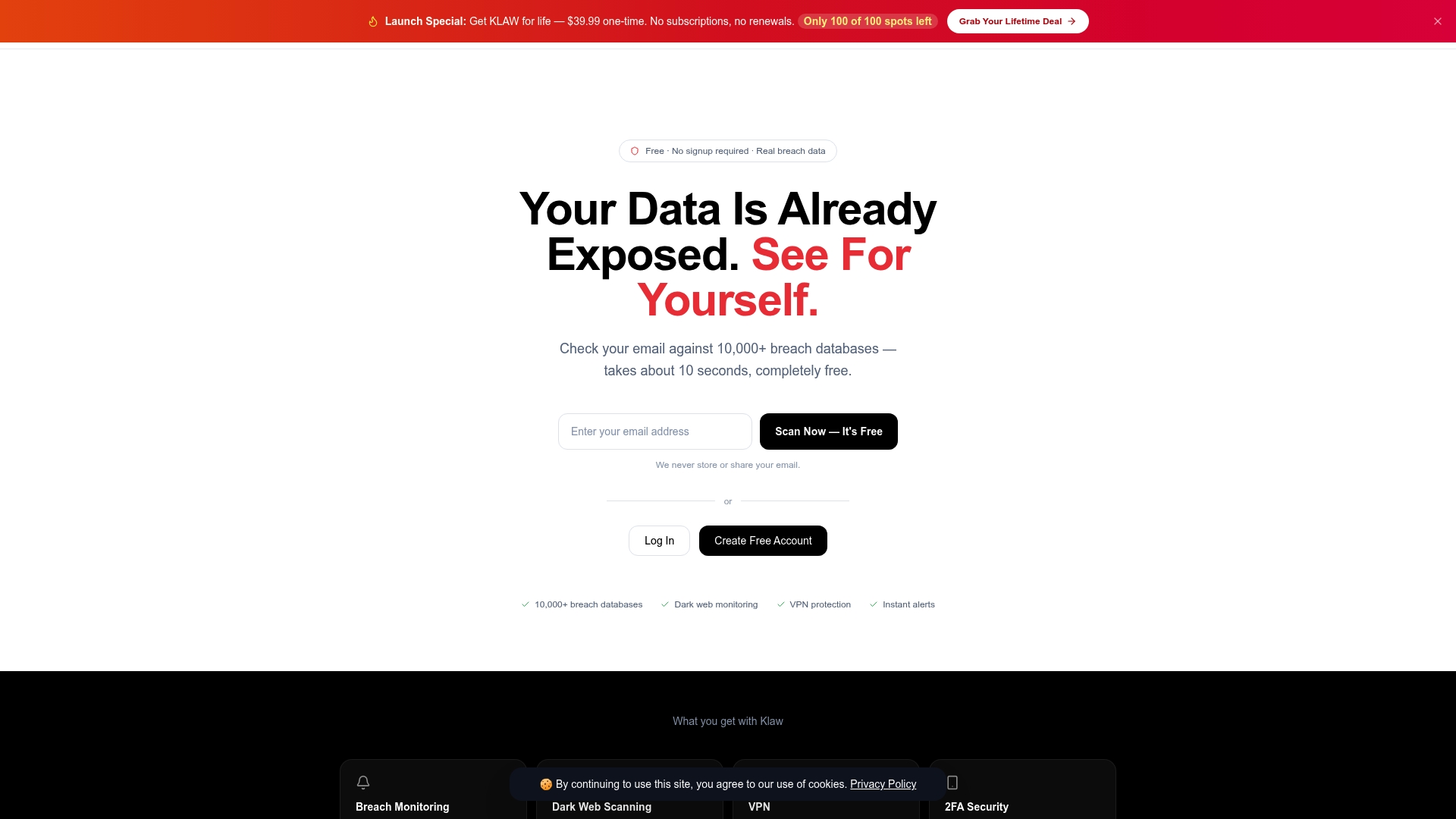
Take control of your identity protection at https://klawusa.org and benefit from simple pricing without surprises. Sign up now to scan your email for free and unlock advanced privacy tools including VPN access and automated data broker removal. Don’t wait to catch exposures early and guide your recovery with confidence using Klaw’s straightforward security platform.
Frequently Asked Questions
What are the benefits of choosing Klaw over other monitoring services?
Klaw offers a one-time purchase option for $39.99, making it a budget-friendly choice for ongoing breach protection. This lifetime deal eliminates recurring monthly fees, appealing to individuals who prefer fixed expenses. Users can expect continuous breach scans along with dark web credential monitoring, combining multiple protective features into one subscription.
How does Klaw compare to Optery for data removal services?
Optery is known for its emphasis on verifiable data takedowns, providing proof-of-removal screenshots that can be useful for tracking compliance with privacy regulations. For individuals needing ongoing breach scans and monitoring, Klaw is more suitable as it consolidates various protective features into a single platform focused on identity theft prevention.
Can I access dark web monitoring with Klaw’s lower tier plans?
No, Klaw's lower-tier plans do not provide full dark web access; such features are only available in higher tiers or through the one-time lifetime purchase. This means that while you can enjoy cost savings with Klaw, you must consider your need for comprehensive dark web coverage when choosing a plan.
What should I expect regarding privacy policies when using Klaw?
Klaw is transparent about its privacy practices, ensuring users that it limits the storage of sensitive data and browsing information. You can feel more secure knowing that Klaw’s commitment to privacy is a core part of its service offering.
How does Klaw ensure quick notifications for breaches?
Klaw provides real-time alerts and live threat intelligence feeds, which notify users promptly when their information is compromised. This capability speeds up necessary remediation actions, helping to mitigate risks more effectively.