
TL;DR:
- A dark web scan helps identify whether your personal information appears in breach databases, enabling early intervention against identity theft. Continuous monitoring offers real-time alerts for new breaches, while one-time free scans provide only a current snapshot of your exposure, making ongoing protection essential. Acting swiftly by changing passwords, enabling multi-factor authentication, and freezing credit minimizes damage if your data is found online.
A dark web scan is a service that checks whether your personal information appears in databases accessible through the dark web, giving you the earliest possible warning before criminals exploit what they find. Most people discover their data is exposed only after fraud has already occurred. That gap between exposure and awareness is where identity theft happens. Services like Experian, Aura, and Malwarebytes offer scans that search thousands of breach databases for your email addresses, passwords, Social Security numbers, and financial credentials. Understanding what these scans find, how to run one, and what to do with the results is the most direct path to protecting your identity.
What a dark web scan finds in your personal data
Dark web scans detect a wider range of exposed information than most people expect. The most commonly found data categories include:
- Email addresses and passwords (used for account takeover attacks)
- Social Security numbers (used to open fraudulent credit lines)
- Phone numbers and home addresses (used for targeted phishing and physical fraud)
- Financial account numbers and routing details (used for direct theft and wire fraud)
- Driver's license and passport numbers (used to create synthetic identities)
Cybercriminals do not simply steal this data and use it themselves. Dark web marketplaces sell stolen credentials in bulk, with databases containing millions of records valued between $5,000 and $50,000 depending on how recently the breach occurred and what account types are included. Financial account credentials and admin login details command the highest prices because they offer the most direct path to money or system access.
The breach databases that scanning tools search include not just major public breaches but also smaller, unreported leaks traded in private forums. Dark web forums operate across multiple languages, with threat actor communities auctioning stolen data in Russian, Chinese, Arabic, and other languages. This is why effective scanning tools require linguistic expertise alongside technical reach.

Pro Tip: Run a scan using your primary email address first, then repeat with any secondary addresses you use for banking, shopping, or healthcare. Each address may have a different exposure history.
According to threat intelligence analysts, dark web monitoring detects credential sales, data breach announcements, active cybercrime preparation, and even ransomware targeting before public disclosure. That pre-disclosure window is critical. If you know your credentials are being traded before the breached company announces it, you can change passwords and lock accounts before attackers move.
How to perform a dark web scan on your personal data
Running a scan is straightforward, but the approach you take determines how much protection you actually get.
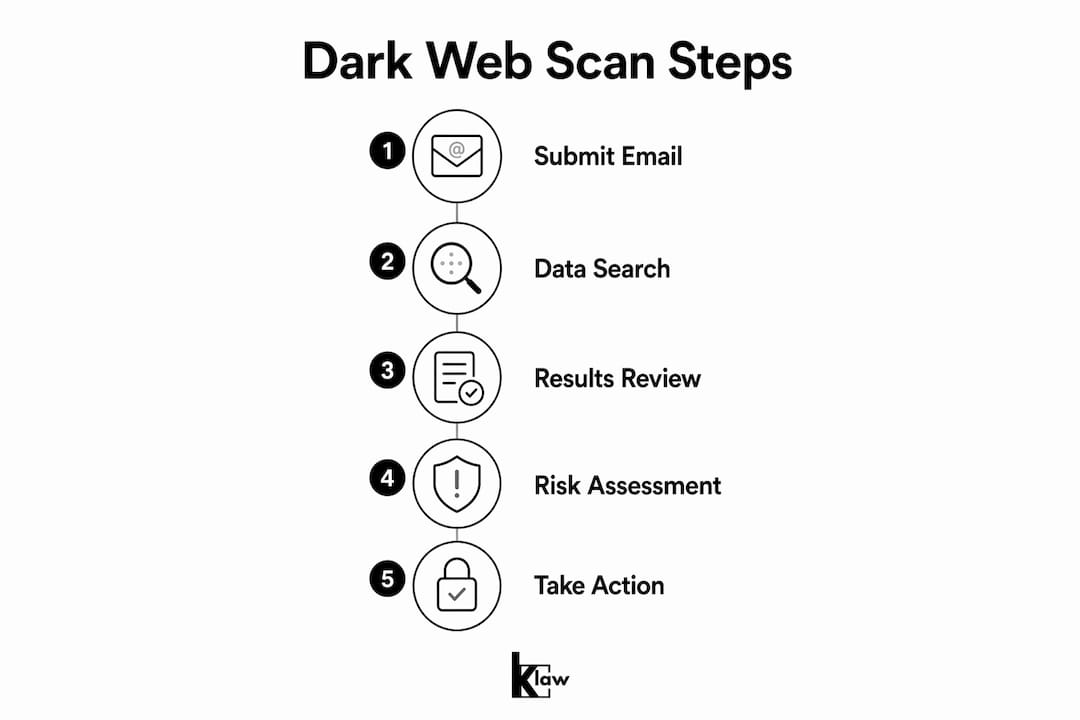
- Choose a scanning tool. Free one-time scans from services like Experian's dark web scan or Aura's trial offer a quick baseline check. Klaw's free scan checks your email against over 10,000 breach databases at no cost and with no hidden fees.
- Submit your identifying information. Most scans require an email address at minimum. More thorough scans accept phone numbers, Social Security numbers, and usernames to widen the search.
- Review the results carefully. Results typically show which breach exposed your data, when it occurred, and what type of information was leaked. A result showing your password from 2019 is less urgent than one showing a credential dump from last month.
- Act on every finding. Even old exposures matter. Criminals reuse and resell data for years after the original breach.
- Schedule follow-up scans. A one-time scan only reflects what was indexed at that moment. Fresh credential dumps appear constantly, requiring ongoing checks to stay current.
| Scan type | Coverage | Cost | Best for |
|---|---|---|---|
| Free one-time scan | Email and basic credentials | $0 | Initial exposure check |
| Subscription monitoring | Continuous, multi-data-type | Monthly fee | Ongoing identity protection |
| Integrated identity protection | Dark web plus credit monitoring | Higher monthly fee | High-risk individuals |
Pro Tip: When reviewing scan results, prioritize any exposure that includes a password you still use today. Reused passwords are the single fastest path from a data breach to account takeover.
Free scans are a legitimate starting point, but they have a structural limitation. Continuous monitoring provides 24/7 alerts that catch new exposures the moment they appear, including leaks that happen at 2 a.m. on a Sunday. A one-time scan cannot do that. For most people, the right sequence is to start with a free scan to understand your current exposure, then decide whether the results justify upgrading to a subscription service.
Free scans vs. subscription monitoring: which one do you need?
The choice between a free scan and a paid subscription comes down to your risk profile and how much of your financial and personal life is tied to online accounts.
Free scans give you a snapshot. They are fast, require no commitment, and often surface breaches you never knew about. The limitation is that they only show what has already been indexed. Initial free scans frequently uncover unknown breaches that prompt users to upgrade to continuous monitoring once they see the scope of their exposure.
Subscription monitoring services watch for new exposures in real time. The features that matter most when comparing services include:
- Alert speed: How quickly does the service notify you after a new exposure is detected?
- Data sources covered: Does the service monitor private forums, paste sites, and multilingual marketplaces, or only major breach databases?
- Customer support: Can you reach a human if you need help responding to an alert?
- Additional protections: Does the service include credit monitoring, data broker removal, or VPN access?
The value of subscription monitoring increases significantly if you have experienced a breach before, if you use the same email address across many accounts, or if you store financial information with multiple online retailers. For those individuals, the cost of a monthly subscription is far lower than the cost of resolving identity theft, which averages hundreds of hours of personal time and significant financial loss.
Regulations like GDPR in Europe require companies to notify individuals when their data is compromised, but these notifications often arrive weeks after the breach. Subscription monitoring closes that gap by detecting exposure independently of whether the breached company has disclosed it yet.
What to do if your data is found on the dark web
Finding your data in a scan result is alarming, but it is not the end of the story. The response you take in the next 48 hours determines how much damage occurs.
- Change every compromised password immediately. Use a unique, randomly generated password for each account. A password manager like 1Password or Bitwarden makes this practical.
- Enable multi-factor authentication (MFA) on all critical accounts. Banking, email, and social media accounts should require a second verification step beyond your password.
- Monitor your financial accounts daily for at least 30 days. Look for small test charges, which fraudsters use to verify a card before making larger purchases.
- Place a credit freeze with Equifax, Experian, and TransUnion. A freeze prevents new credit lines from being opened in your name without your explicit approval.
- Report identity theft to the FTC at IdentityTheft.gov. The FTC provides a personalized recovery plan and official documentation you can use with creditors and law enforcement.
- Notify affected institutions directly. If a bank account number was exposed, call your bank and request a new account number rather than waiting to see if fraud occurs.
The most important fact to understand is that stolen data cannot be erased from the dark web. Once it is copied and distributed, it circulates indefinitely. The only effective response is to make the stolen data useless. Changing your password renders an exposed credential worthless. Freezing your credit makes an exposed Social Security number far less exploitable.
Pro Tip: After a breach, set up Google Alerts for your full name and email address. Fraudsters sometimes create accounts or post content using stolen identities, and an alert gives you early warning.
Learning how to secure accounts after a credential exposure is a skill worth building before you need it. The steps above are most effective when practiced in advance, not figured out under pressure.
Key takeaways
A dark web scan is your earliest warning system for identity theft, but continuous monitoring is the only approach that keeps pace with how frequently stolen data is traded and resold.
| Point | Details |
|---|---|
| Scans detect more than passwords | Exposed data includes Social Security numbers, financial accounts, and phone numbers used for fraud. |
| Free scans are a starting point | One-time scans show current exposure but miss new breaches that appear after the scan date. |
| Stolen data cannot be removed | Changing passwords and enabling MFA renders exposed credentials useless to attackers. |
| Response speed matters | Acting within 48 hours of finding exposed data significantly limits the damage from identity theft. |
| Continuous monitoring closes the gap | Subscription services detect new exposures in real time, including pre-disclosure breach data. |
Why I think most people are protecting themselves too late
Most people treat a dark web scan as something you do once after hearing about a major breach in the news. That reactive mindset is exactly what cybercriminals count on. By the time a breach makes headlines, the data has typically been circulating on private forums for weeks or months. The criminals who pay the most for fresh credentials have already used them.
What I have observed is that the individuals who avoid serious identity theft are not the ones who respond fastest after a breach. They are the ones who never gave attackers a clean window to operate. Continuous monitoring with real-time alerts removes that window. The shift from "I'll check if something bad happens" to "I'll know the moment something happens" is the single most meaningful change most people can make to their personal data protection strategy.
The proactive monitoring approach also changes how you think about your digital footprint. When you see which services have exposed your data, you start making better decisions about where you share your information going forward. That behavioral shift is worth as much as any technical tool.
One more thing: do not assume that because you are not wealthy or prominent, your data is not valuable. Criminals are not targeting individuals. They are buying bulk databases and running automated attacks against every credential in them. Your data is in those databases whether you know it or not.
— Lucky
Protect your identity with Klaw's dark web monitoring
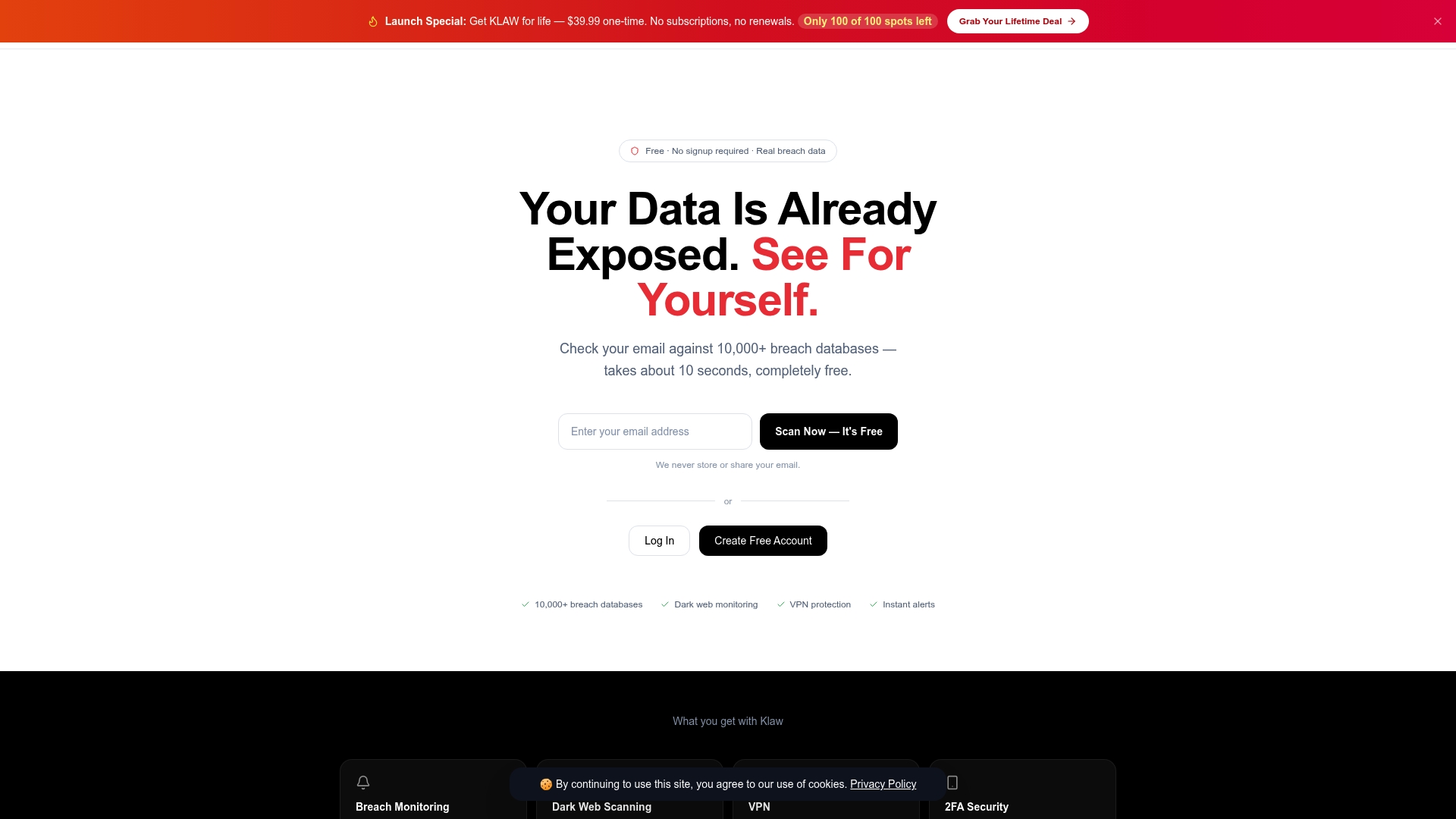
Klaw scans your email against over 10,000 breach databases for free, with no hidden fees and no subscription required to get your first results. If your data is found, Klaw provides immediate guidance on next steps, including automated data broker opt-outs that remove your personal information from the sites that sell it. For ongoing protection, Klaw's Dark Web Alerts service monitors continuously and notifies you the moment new exposure is detected, giving you the response window that makes the difference between a close call and a full identity theft incident. Start with a free scan and know where you stand today.
FAQ
What is a dark web scan?
A dark web scan is a service that searches dark web databases, forums, and marketplaces for your personal information, such as email addresses, passwords, and Social Security numbers. It alerts you when your data appears in known breach records or criminal trading posts.
How often should I scan for stolen information?
A one-time scan gives you a baseline, but continuous monitoring is the standard for reliable protection because fresh credential dumps appear constantly. Most security professionals recommend ongoing monitoring rather than periodic manual checks.
Can I remove my data from the dark web after a scan finds it?
Stolen data cannot be permanently removed once it is distributed across dark web networks. The most effective response is to change compromised passwords and enable multi-factor authentication, which makes the stolen credentials useless to attackers.
What personal data is most at risk on the dark web?
Financial account credentials and admin login details carry the highest black market value, followed by Social Security numbers and full identity packages. Email and password combinations are the most commonly traded because they enable account takeover at scale.
Is a free dark web scan enough to protect my identity?
A free scan is a useful first step to check your current exposure status, but it does not protect against new breaches. Subscription-based dark web monitoring services provide continuous coverage and real-time alerts that free one-time scans cannot match.