
TL;DR:
- Email breach signs include unfamiliar sent messages, unexpected login alerts, and suspicious password reset requests. Recognizing these early allows quick action to secure accounts before attackers exploit sensitive data.
Email breach warning signs are specific indicators that your account has been compromised, including unfamiliar sent messages, unexpected login alerts, and password reset requests you never made. These signs are the industry's recognized "indicators of account compromise," and catching them early is the difference between a minor inconvenience and full-scale identity theft. Tools like Duo MFA, resources from the FTC, and services like Klaw exist precisely because most people miss these signals until the damage is done. Recognizing them fast gives you a real chance to lock down your account before attackers exploit your data further.
1. emails in your sent folder you never wrote
Unfamiliar messages in your Sent folder are one of the clearest signs of email compromise. Attackers who gain access to your account often use it immediately to send phishing links or scam messages to your contacts. If you see emails you don't recognize, especially ones with links or urgent requests, treat it as a confirmed breach until proven otherwise. Check the timestamps and recipients carefully.
2. login alerts or security notifications you didn't trigger
Your email provider sends security alerts when someone logs in from a new device or location. If you receive a Gmail, Outlook, or Yahoo notification about a sign-in you didn't make, that alert is a direct indicator of unauthorized access. Do not click any links inside that email. Instead, navigate directly to your provider's website and review your account activity log.
Pro Tip: Set up login notifications on every email account you own, including older ones you rarely use. Dormant accounts are prime targets because users rarely check them.
3. MFA push requests you didn't initiate
Receiving a Duo or Google Authenticator push notification when you are not actively logging in is a critical sign of email breach. It means someone has your password and is attempting to complete the login by tricking you into approving the request. UC Santa Cruz's June 2026 security alert warned users explicitly: never approve Duo prompts you did not initiate. Approving one of these requests hands attackers full access to your account instantly.
Scammers can exploit MFA push systems to maintain persistent access if you approve even a single spurious prompt. This tactic, sometimes called "MFA fatigue," involves sending repeated push requests until the user approves one out of frustration or confusion. Treat every unsolicited MFA prompt as a red flag, not a glitch.
4. contacts telling you they got weird emails from you
When friends or coworkers report receiving strange messages from your address, your account is almost certainly compromised. Attackers use hijacked accounts to send phishing emails because messages from known contacts have a higher chance of being opened. This is a social engineering tactic the FTC has documented repeatedly. If two or more contacts report this, change your password immediately and check your account's forwarding rules.
5. password reset emails you never requested
An unsolicited password reset email is a strong indicator that someone is trying to take over your account. Attackers request resets to lock you out and gain control. The FTC's May 2026 warning about fake party invitation scams highlighted exactly this pattern: users receive a seemingly harmless email, enter their credentials, and then find their accounts locked within minutes. If you receive a reset email you didn't request, go directly to your provider's site and change your password before the attacker does.
6. phishing emails disguised as security notices
Phishing emails disguised as security notices trick users into entering credentials on fake login pages, leading directly to identity theft. PCRisk's June 2026 analysis of the "MAIL SECURITY NOTICE" scam documented this tactic in detail. These emails look exactly like legitimate alerts from your provider, complete with logos and official-sounding language. The only reliable way to verify them is to ignore the email entirely and log in through your provider's official website.
"Legitimate-looking IT or security emails prompting you to re-verify your credentials are often phishing attempts. Perceived authenticity is not a safe indicator." — PCRisk, June 2026
The sender address alone tells you nothing. PCWorld's May 2026 report confirmed that scammers used a real Microsoft address to distribute phishing links, making the email appear completely legitimate at first glance. Context, urgency, and unsolicited action demands matter far more than who the email appears to be from.
7. unexpected forwarding rules or filters in your account
Unauthorized forwarding rules appearing in your email settings are a strong technical indicator of compromise. Attackers set these up silently so that copies of every email you receive are forwarded to an address they control. You may never notice because your inbox looks completely normal. Check your email settings under "Filters and Forwarding" at least once a month.
Pro Tip: Review your email's connected apps and third-party access permissions quarterly. Attackers sometimes grant themselves access through OAuth apps, which survive even after a password change.
Here is a quick reference for the technical signs that are easiest to miss:
| Technical Sign | What It Means | What to Do |
|---|---|---|
| Unknown forwarding rules | Attacker is copying your emails | Delete the rule, change password |
| Emails marked read without your action | Someone else is reading your inbox | Check active sessions, sign out all devices |
| Unfamiliar third-party app access | OAuth token granted to attacker | Revoke access in account settings |
| Login from unknown location | Unauthorized access attempt | Review activity log, enable MFA |
| Slow or erratic email client behavior | Possible malware on your device | Run antivirus scan immediately |
8. emails marked as read that you never opened
If emails consistently appear as already read when you open your inbox, someone else is reading them first. This is a subtle sign of compromise that most users dismiss as a glitch. Real-time monitoring of account login locations and device types helps identify unusual access patterns before damage escalates. Check your account's active sessions list to see every device currently logged in.
9. social engineering emails mimicking trusted brands
Scammers routinely impersonate Microsoft, USPS, universities, and banks to create a false sense of urgency. The FTC's 2026 warning about fake invitation scams showed that attackers don't always use fear. Sometimes they use excitement, like a party invite, to lower your guard. USPS's June 2026 advisory also warned employees that ransomware spreads through phishing emails with suspicious links and attachments, meaning the consequences extend well beyond your inbox.
Phishing scammers rely more on credential entry via social engineering than on sender address spoofing. That means the most dangerous emails are the ones that feel the most normal.
10. steps to confirm and respond to breach signs
Once you spot warning signs, act in this order:
- Change your password immediately. Use a strong passphrase of 16 or more characters. PCRisk confirms that early password changes can stop attackers from fully exploiting stolen credentials.
- Reject any MFA prompts you did not initiate. If you receive one after changing your password, your new credentials may already be compromised.
- Sign out of all active sessions. Most providers offer a "sign out everywhere" option in security settings.
- Report the incident. Forward suspicious emails to your provider's abuse team. If you use a university or work account, report to your IT department. UC Santa Cruz directs users to [email protected] as a reporting channel.
- File a report with the FTC. Visit IdentityTheft.gov if you believe personal data was accessed. The FTC provides a personalized recovery plan based on what was exposed.
- Scan your email against breach databases. Services like Klaw check your address against over 10,000 breach databases to confirm whether your credentials appear in known data leaks.
Pro Tip: After securing your email, check every account that uses the same password or that you've logged into via "Sign in with Google/Microsoft." A compromised email is often a master key to dozens of other accounts.
Key takeaways
Recognizing email breach warning signs early and responding within hours, not days, is the single most effective way to limit damage to your identity and accounts.
| Point | Details |
|---|---|
| MFA prompts you didn't trigger | Reject every unsolicited push notification; it signals someone has your password. |
| Forwarding rules and filters | Check email settings monthly for rules you didn't create. |
| Phishing disguised as security alerts | Never click links in security emails; go directly to your provider's site. |
| Password reset emails you didn't request | Change your password immediately before an attacker locks you out. |
| Breach database scanning | Use Klaw to check your email against over 10,000 known breach databases. |
The habit that protects you more than any tool
Most people treat email security like smoke detectors. They set it up once and assume it's working. That assumption is exactly what attackers count on.
I've seen smart, security-aware people get compromised not because they lacked tools, but because they approved one MFA push without thinking. It takes two seconds. The attacker gets full access. The user doesn't notice for days. By then, forwarding rules are set, contacts have been phished, and password resets have locked the real owner out of linked accounts.
The uncomfortable truth is that most email breaches succeed because of habit, not ignorance. People know they shouldn't click suspicious links. They do it anyway because the email looks familiar or the urgency feels real. The FTC's 2026 party invite scam worked on thousands of people who absolutely knew better.
What actually changes behavior is slowing down for three seconds before any credential entry. Ask: did I request this? Does this URL match the official domain? Would this company really ask me to log in this way? Those three questions catch the majority of phishing attempts before any damage occurs.
Pair that habit with breach alerts that notify you the moment your credentials appear in a leak, and you've built a genuinely effective defense. Tools matter. But the habit of conscious skepticism is what makes them work.
— Lucky
How Klaw keeps watch when you can't
Spotting warning signs manually works, but you can't monitor your inbox around the clock. Klaw's Dark Web Alerts service scans your email address against over 10,000 breach databases and alerts you the moment your credentials appear in a known data leak. That means you find out about a compromise before attackers have time to act on it.
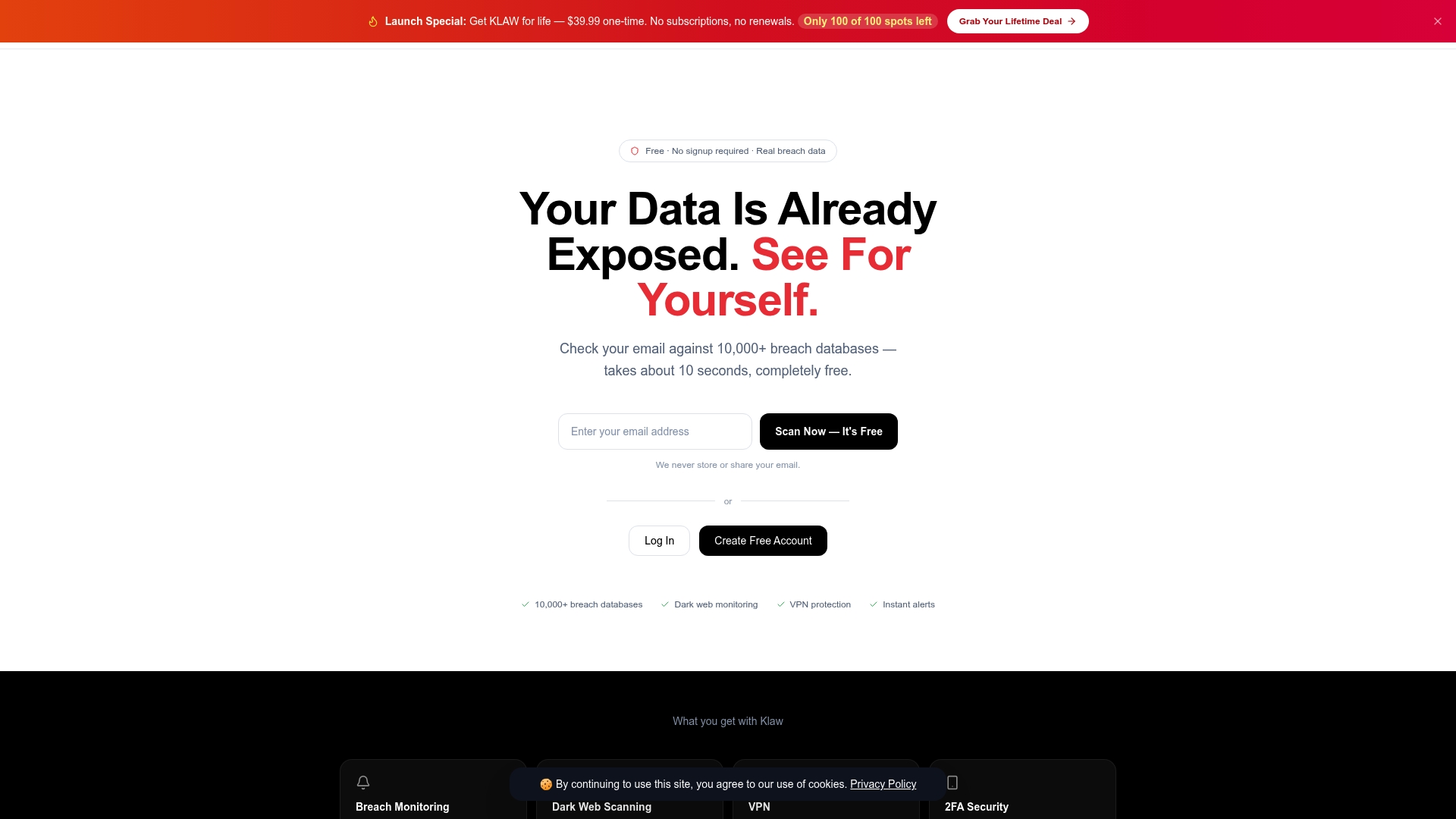
Klaw combines dark web scanning, real-time security alerts, and automated data broker removals in one place, with no hidden fees or subscriptions. If your email shows up in a breach, Klaw also provides recovery guidance to walk you through exactly what to do next. For anyone serious about protecting their personal information, it's the most direct way to stay ahead of threats you can't see coming.
FAQ
What are the first signs your email has been hacked?
The most immediate signs include unfamiliar messages in your Sent folder, login alerts from devices you don't recognize, and MFA push notifications you never initiated. Any one of these signals warrants an immediate password change.
Can phishing emails come from a real, trusted address?
Yes. PCWorld's May 2026 report confirmed that attackers sent phishing links using a genuine Microsoft email address. Sender address alone is not a reliable way to identify a phishing attempt.
What should i do if i approved an MFA request by mistake?
Change your password immediately, sign out of all active sessions, and check your account settings for unauthorized forwarding rules or connected apps. Report the incident to your email provider and, if personal data was accessed, file a report at IdentityTheft.gov.
How do i check if my email appeared in a data breach?
Use a service like Klaw, which scans your email against over 10,000 breach databases for free and sends real-time alerts if your credentials are found in a known leak.
Are unexpected password reset emails always a sign of compromise?
Not always, but they are a strong warning sign. If you receive a reset email you didn't request, go directly to your provider's website and change your password before anyone else can use the reset link.